Finding Data Submission IDs
Accepted and submitted data are assigned unique identifiers known as accessions.
Submitted data are publicly visible after publication or release (see Publishing Data for more information). They can be viewed using the accessions on public repositories (see Where Your Submitted Data Goes for more information).
The type of accession assigned depends on the type of submission made. The following are different kinds of accessions that can be assigned after successful submissions:
Assembly
Biosample
Experiment
Run
Sequence annotation
Study
SRA
Submission
Tip
For sample submissions within a Tree of Life profile, the Approval Date column in the sample data table indicates when the submission was approved and which project the approving sample manager belongs to.
The Status column indicates the current status of the submission. Once the submission are approved and has been successful, the status will be marked as accepted.
Accessions can be explored through the following ways:
Note
Please note that the  button will
only appear on a page if you are granted permission to be a sample manager.
button will
only appear on a page if you are granted permission to be a sample manager.
Within the data table
After submissions have been successfully made, the accessions can be found within the data table on the respective submission page. For example:
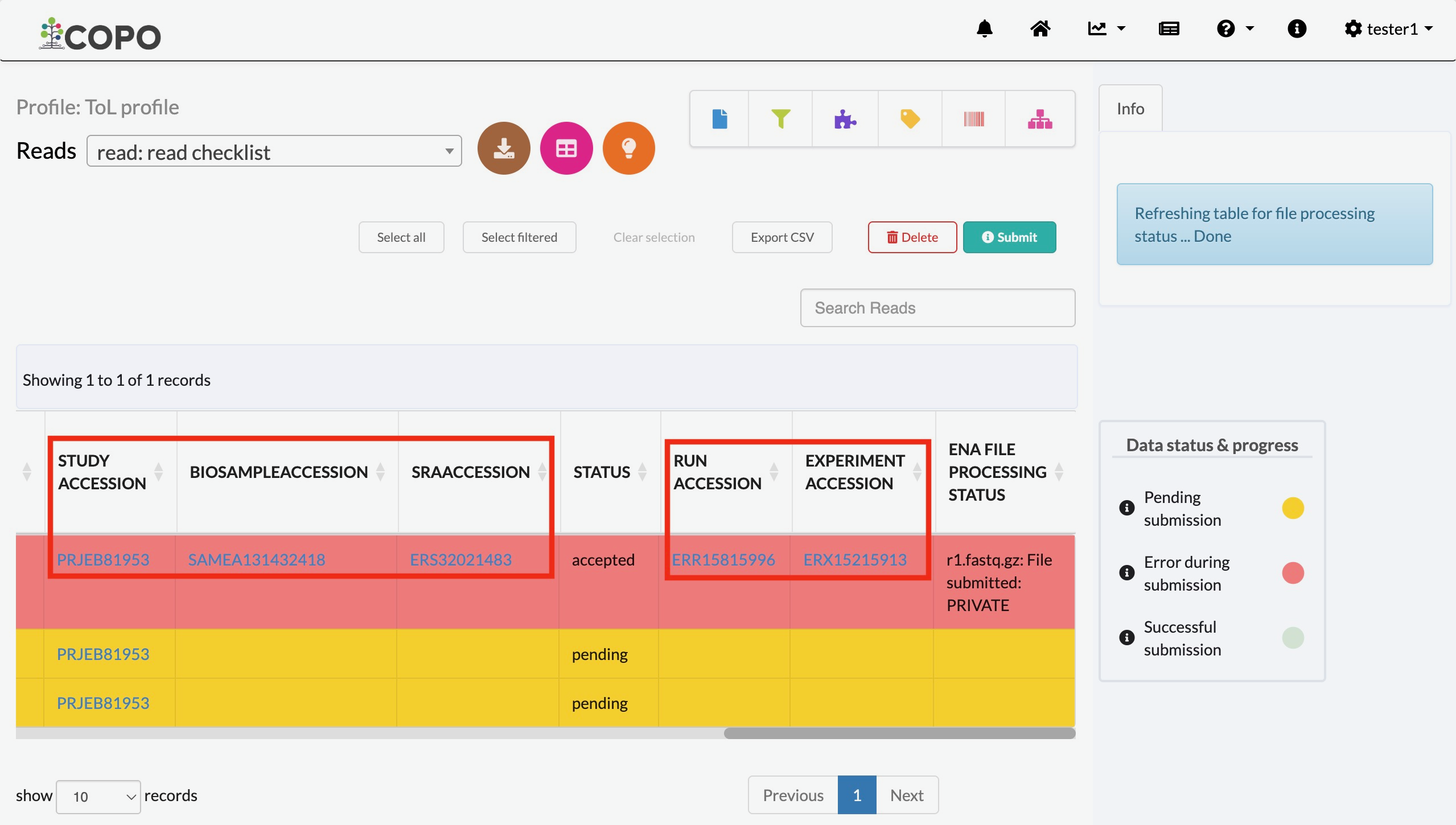
Reads page displaying accessions in the data table after submission
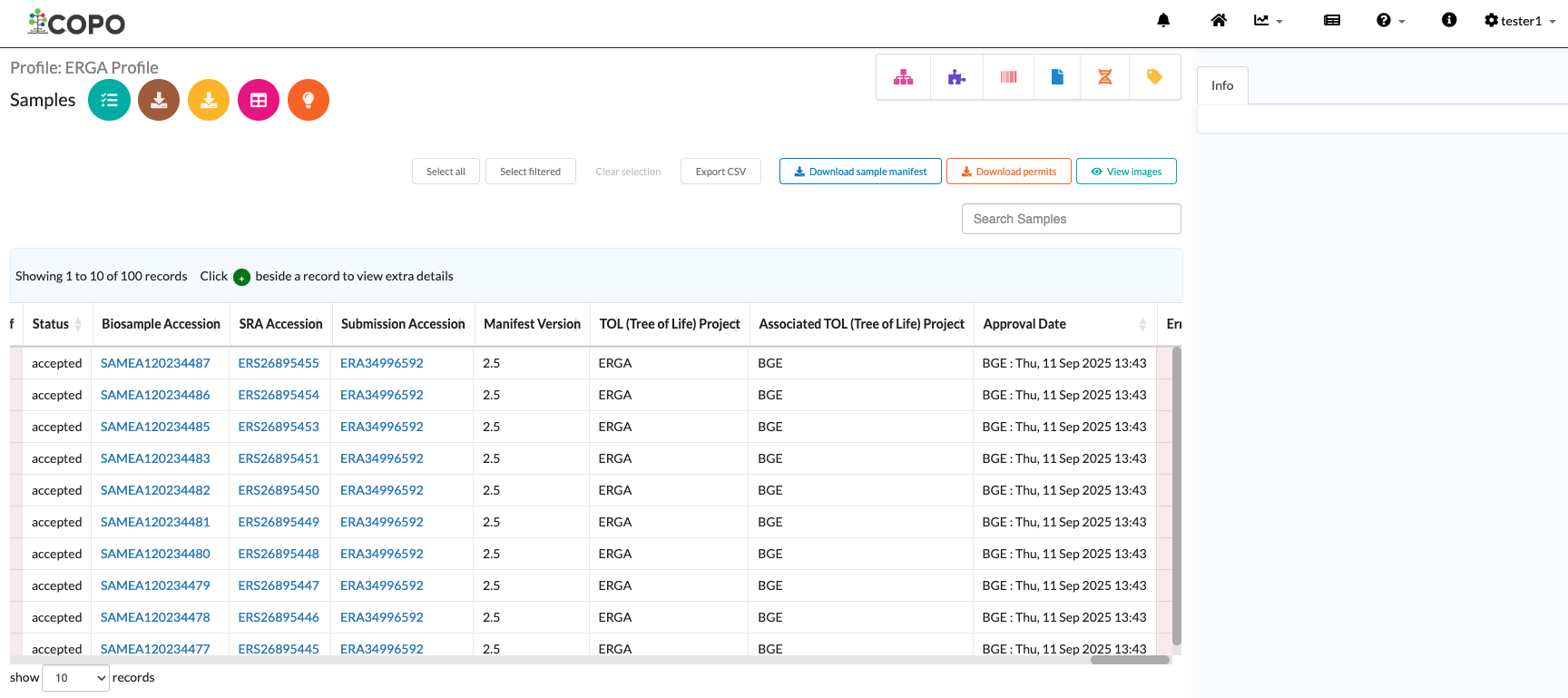
Samples (under a Tree of Life profile) page displaying accessions in the data table after submission
Reads page displaying accessions in the data table after submission
On Profile’s Accessions Page
Each profile has an accessions page. It provides a consolidated view of all accessions associated with the profile’s submissions.
To access it, refer to Accessing the Accessions Page for instructions.
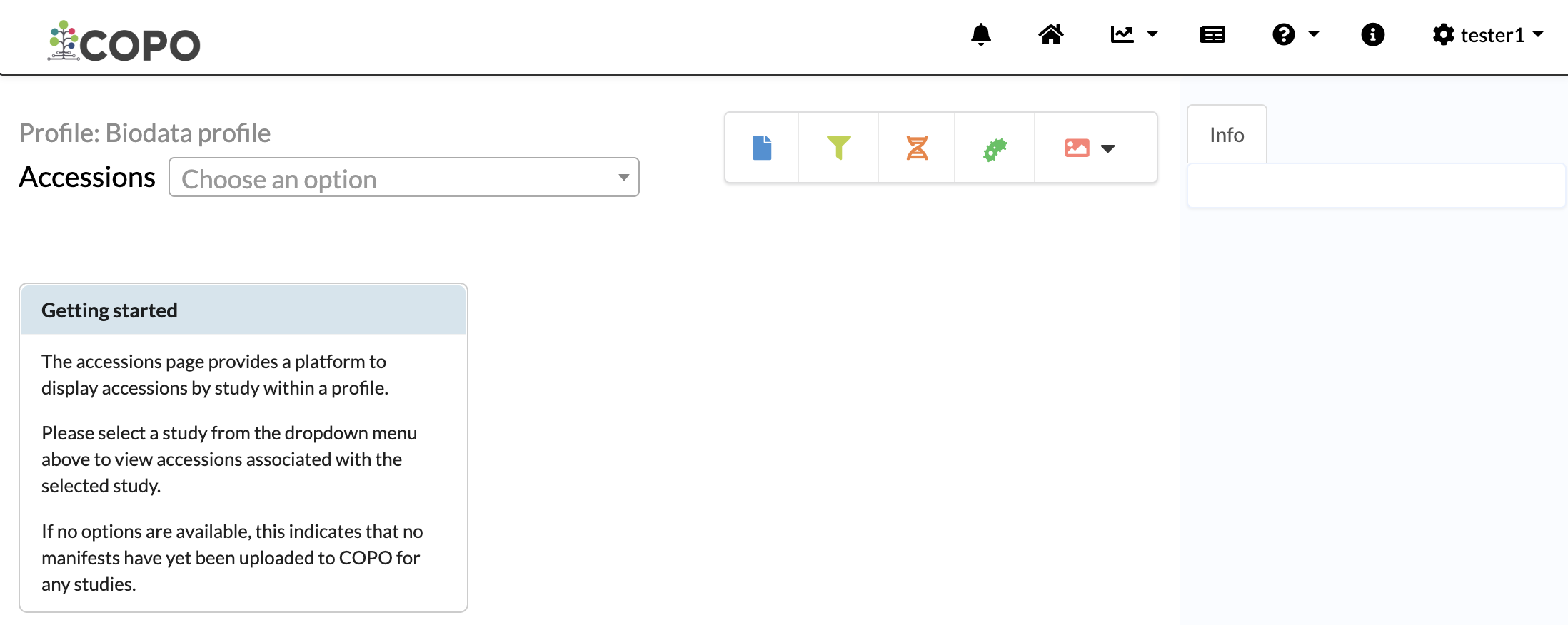
Empty Accessions page (no submissions yet) under a Biodata profile
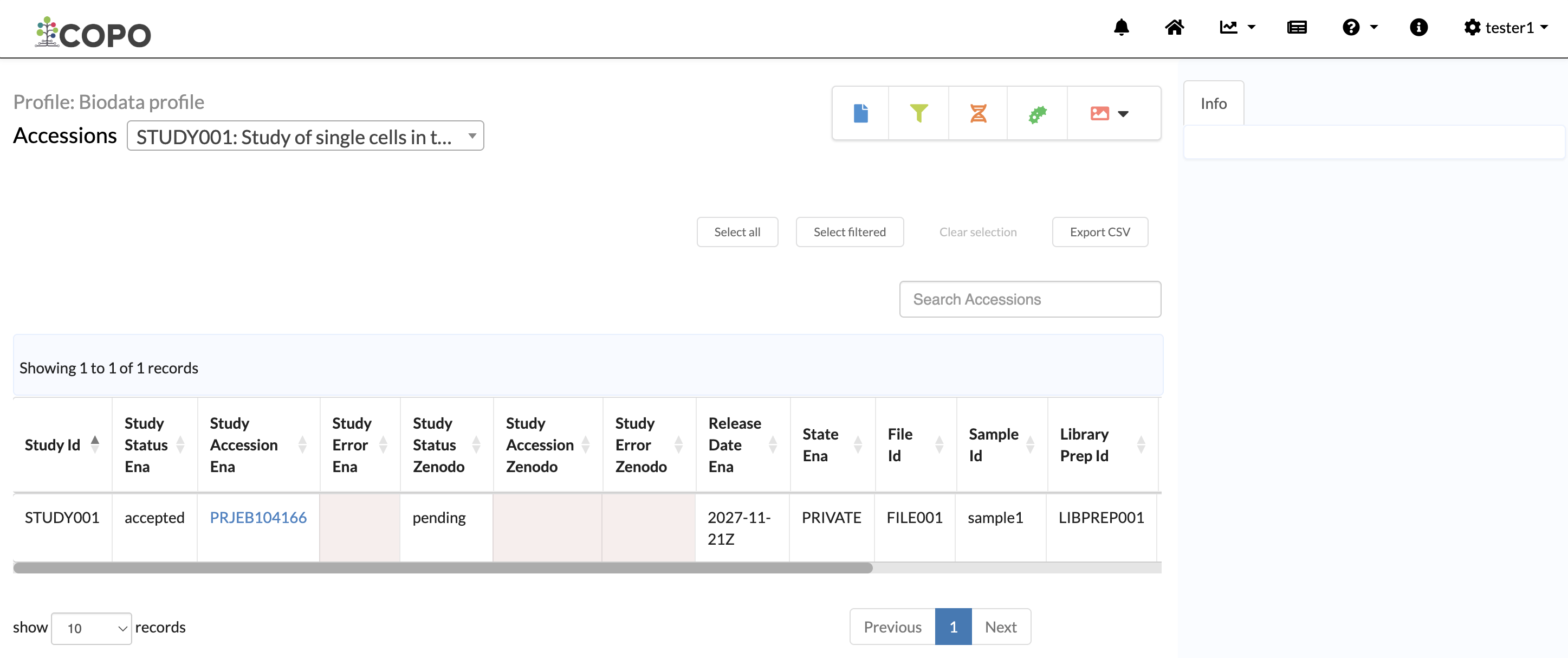
Accessions page after data submissions for a Biodata profile
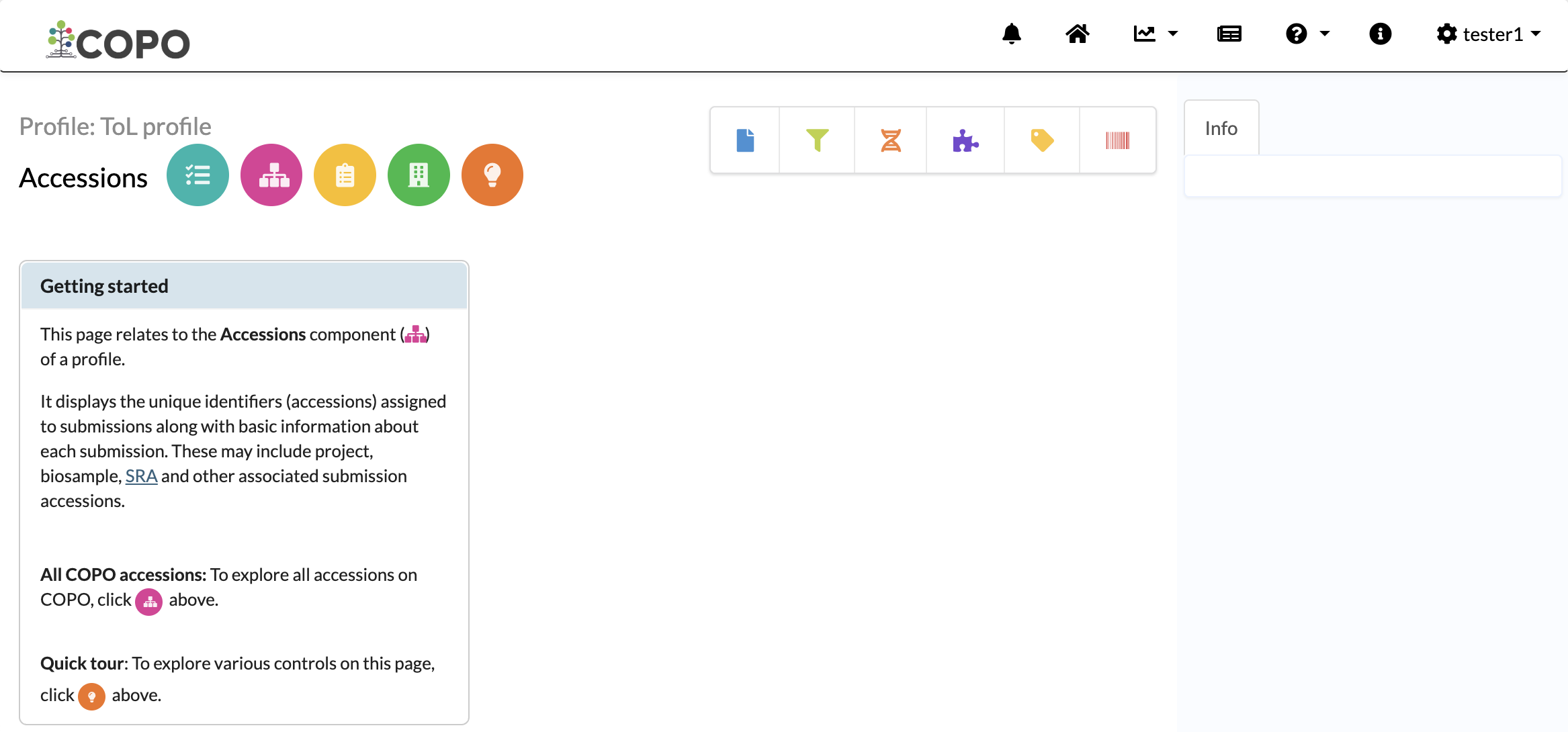
Empty Accessions page (no submissions yet) under a Tree of Life profile
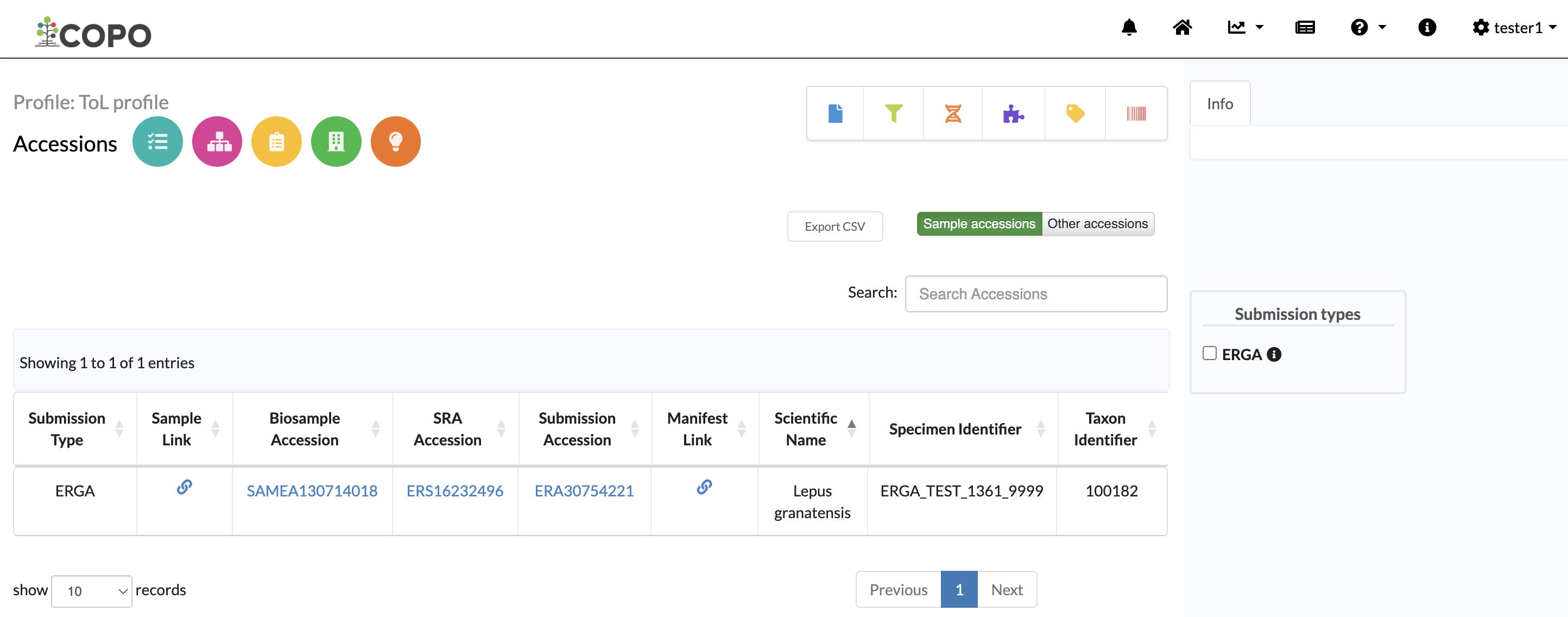
Accessions page after data submissions for a Tree of Life profile
On Accessions Dashboard
Visit the Accessions dashboard 🌐
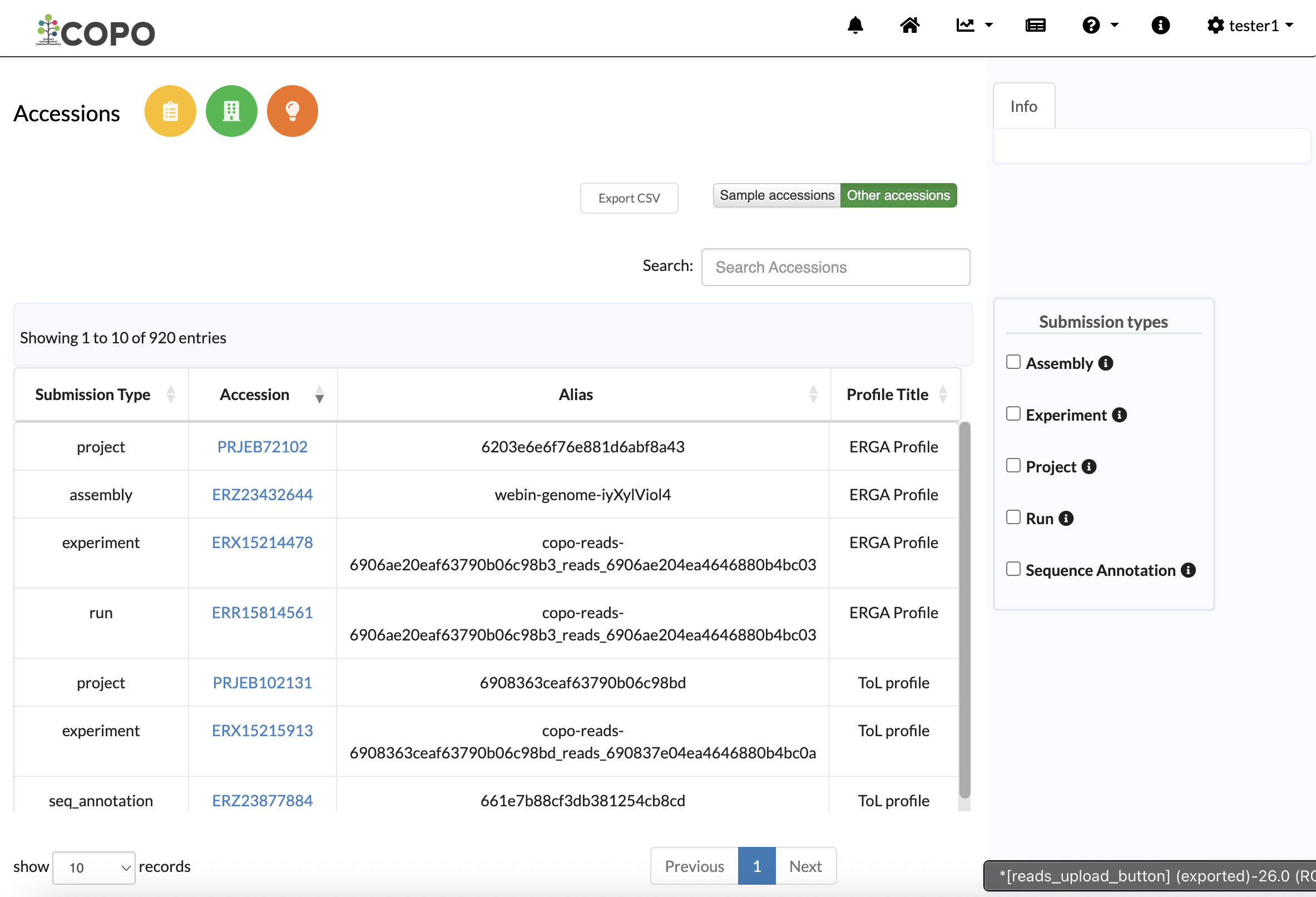
Other submission accessions on Accessions dashboard
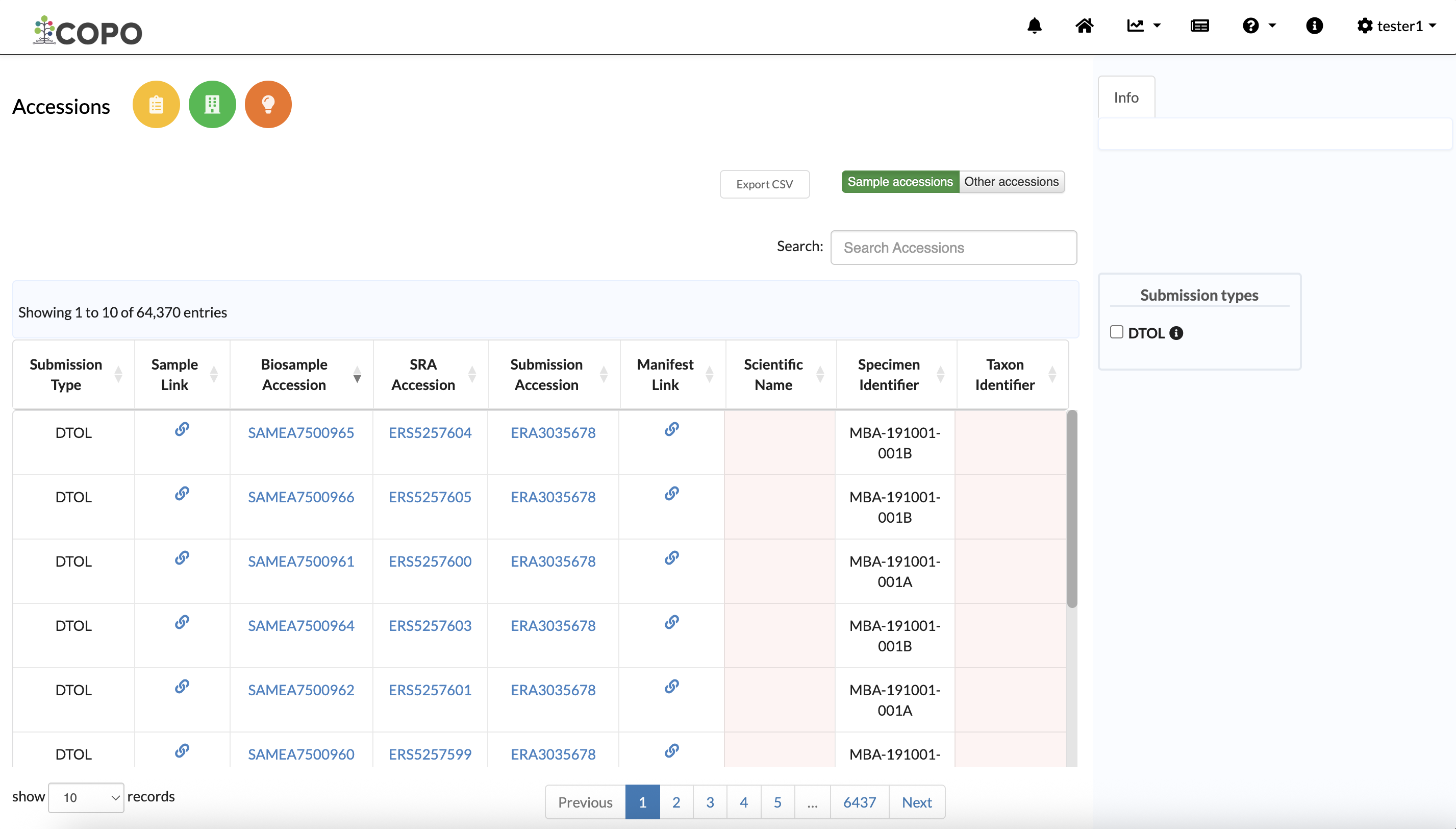
Sample accessions on Accessions dashboard